PFPs & Avatars · 7 min read · Updated November 21, 2026
Make Your Gaming Profile Look Professional for Free
You do not need paid templates to upgrade your gaming profile. Learn how to pair a sharp avatar, a clean 1–3 line bio, mobile-safe banner art, and organized pinned content across Discord, YouTube, TikTok, and WhatsApp.
By TheLogoBase Team · [email protected]
1. Pair a Crisp Profile Picture With One Memorable Username
A solid avatar alone cannot save a scattered profile if your bio sits empty, your banner clashes, and your handle changes on every app. Whether you grind Free Fire, PUBG Mobile, Valorant, or stream variety matches, visitors judge your account within seconds based on how cleanly these pieces fit together.
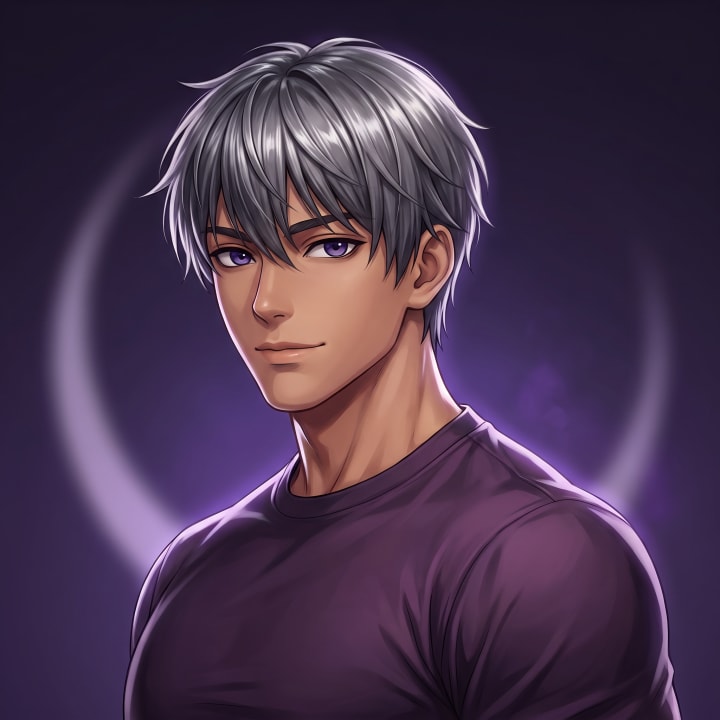
Start with your avatar and username: pick a single clear mascot, anime portrait, or minimalist crest centered inside a 1:1 square frame, and match your handle cleanly across Discord, YouTube, TikTok, and Instagram without random filler digits. Browse direct 2048 × 2048 px (2K) portraits in TheLogoBase PFP Gallery (/gallery/pfp/all) to find dark-anchored artwork that stays sharp even shrunk down to 32 px – 64 px.
- Upload a square 1:1 avatar with eyes, helmets, or initials kept inside the inner 78% circle.
- Preview the thumbnail down at 32 px and 64 px before locking it in.
- Keep the exact same core handle across active gaming channels rather than swapping avatars weekly.
2. Write a Short Gaming Bio That Tells Visitors Who You Are
Blank bios give new visitors zero context, while long paragraphs stuffed with decorative symbols force people to squint past clutter. Keep your bio to one to three tight lines stating your main game, squad role or content type, and why someone should follow or team up.
If a platform allows a bio link, point it to one active destination—your YouTube channel, Discord server, or an interactive player pass from Gamer Card Maker (/card) showing your live IGN, UID, role, and QR share link. Broken or outdated links immediately make an active channel feel neglected.
- Free Fire Player | Gameplay & Highlights
- PUBG Mobile | Sniper Main | Daily Clips
- Esports IGL | Scrim Roster & Tournament VODs
- Focus on your main active title instead of listing every game you have ever installed.
3. Align Your Banner Layout, Colors, and Mobile Safe Crops
Your banner has room for details that never belong on a tiny PFP—your stylized IGN, game focus, or squad schedule—yet only if the layout breathes. Lock two primary colors and one highlight accent across both avatar and banner (like obsidian black, crimson, and crisp white, or midnight navy with electric cyan) rather than piling on heavy glow, smoke, and competing fonts.
Never assume a desktop banner automatically survives mobile cropping: keep headline text centered safely away from corner cutouts and verify both phone and wide views. When preparing custom overlays or clan banners, TheLogoBase Studio Editor (/editor) lets you customize gaming typography, dark contrast strokes, and export watermark-free 1080p or 2048px PNGs—including local Transparent PNGs via Remove BG for clean layering.
- Match banner color accents directly to your profile picture palette.
- Resize banners purposefully per platform rather than stretching one wide file everywhere.
- Strip excess outer glow if letters start blurring into detailed character backgrounds.
4. Keep Pinned Highlights Clean and Store Assets Together
Sharp graphics draw clicks, while an organized feed keeps viewers around. Pick a clear content lane—match highlights, rank pushes, loadout tips, or squad recaps—and pin your best intro clip or tournament poster right at the top instead of leaving outdated announcements hanging.
Audit your profile through a first-time visitor’s eyes every couple of months: clear stale pinned text, update old clan tags, and unify thumbnail text placement and accent colors so uploads look related without cloning designs. Keep your 2K square avatars, banner files, HEX color codes, and Transparent PNGs inside one folder so future updates take seconds.
- Use steady thumbnail font and headline placement across clips while varying the match visual.
- Refresh pinned clips, bio links, and clan tags together whenever your main roster changes.
- Store square PFP masters, banner headers, and Transparent PNG cutouts side by side in one folder.
Free Gaming Profile Upgrade Checklist
| Setting | Recommended | Why It Matters |
|---|---|---|
| Profile Picture | 2048 × 2048 px (1:1) | Keep key facial features or initials centered inside the inner 78% circle. |
| Small-Size Check | 32 – 64 px Preview | Ensures sharp recognition beside comments and Discord chat threads. |
| Bio Format | 1–3 Clean Lines | State primary game, role or content type, and one active link (like /card). |
| Color & Typography | 2 Main + 1 Accent / 1–2 Fonts | Carry the exact same palette across avatar, banner, and thumbnail text. |
| Custom Graphics | 1080p or 2048px PNG | Export watermark-free text badges and Transparent PNG cutouts via /editor. |