Editor Workflow · 6 min read · Updated November 21, 2026
How to Make a Professional Gamer Card
A great gamer card does more than slap text onto a mascot—it puts your IGN, UID, squad role, and rank into one scannable player pass built for Discord, clan tryouts, and mobile sharing.
By TheLogoBase Team · [email protected]
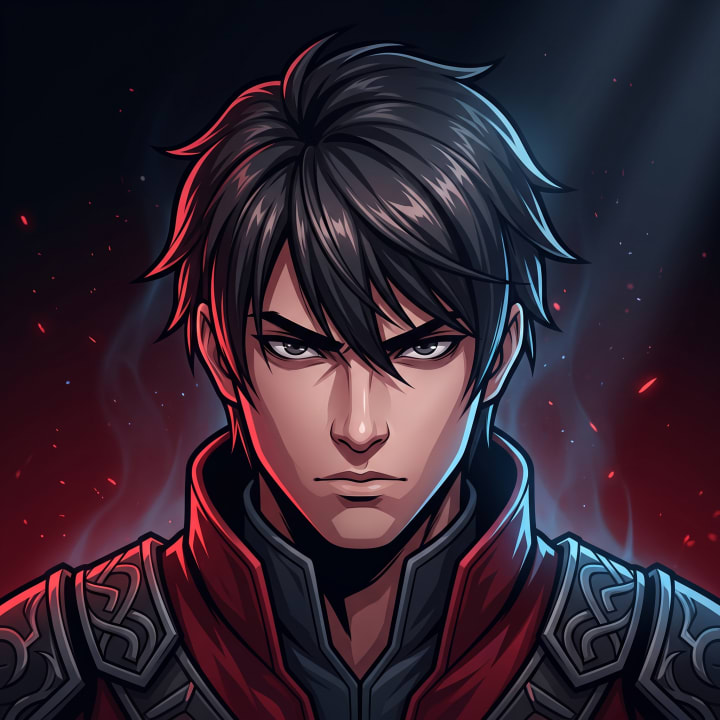
1. Decide What Your Gamer Card Should Communicate
A player pass can look flashy and still fail its main job: telling teammates or recruiters who you are in under three seconds. Packing in five extra stat boxes, oversized badges, and competing glow layers only slows readers down on small phone screens.
Start by prioritizing your in-game name (IGN) with the strongest visual weight. Right beneath or beside it, pair only the practical competitive facts—your UID, primary squad role (such as Sniper, Rusher, IGL, or Support), and current rank badge—so clan captains or scrim partners get what they need without digging through cropped profile screenshots.
- Personal profile: keep attention on your IGN, mascot artwork, and rank badge.
- Competitive tryouts: highlight exact UID digits, squad role tag, and primary rank.
- Clan rosters: match frame colors and theme accents across every teammate card.
- Social sharing: drop clutter and leave generous breathing room around key stats.
2. Build a Clear Layout With Strong Visual Hierarchy
Clean player cards break into three distinct visual zones: identity (mascot + IGN), competitive credentials (UID, role tag, and rank), and supporting frame styling. Keeping those three zones cleanly separated prevents numbers and labels from crashing into character art.
Keep your color system and fonts disciplined too. High-contrast pairings—like red and obsidian black, electric cyan and slate, or gold and midnight navy—separate foreground lettering effortlessly. Pair one bold display style such as Russo One, Teko, Bebas Neue, or Orbitron for your IGN with crisp, uniform lettering for UID numbers and role labels rather than mixing multiple decorative scripts on one pass.
- Give the IGN the largest scale and highest brightness contrast.
- Place UID numbers and role tags in clean, scannable secondary blocks.
- Stick to two core theme colors plus one highlight accent.
- Leave clean spacing between text blocks and card borders so nothing feels cramped.
3. Build Your Player Pass and Verify Every Detail
Instead of lining up boxes manually from scratch, a structured layout gets everything aligned in seconds. TheLogoBase Gamer Card Maker (/card) lets you build an interactive 3D esports player pass complete with your mascot portrait, IGN, UID, role tag (Sniper, Rusher, IGL, Support, and more), rank badge, and holographic theme finishes like Lava Flame, Cyber Neon, Blood Crimson, Cosmic Void, or Golden Champion.
Accuracy counts just as much as style. One wrong UID digit breaks friend requests during scrims, and choosing a mismatched rank or wrong squad role creates confusion when recruiting. Carry over the same mascot and color palette from your Discord or YouTube PFP so teammates immediately connect your card to your channel identity.
- Verify exact IGN spelling, special symbols, and letter casing.
- Double-check every single digit of your UID before exporting.
- Pick the role tag and rank badge that reflect your real squad position.
- Choose the aspect ratio that matches where you post—3:4 Story/Status, 1:1 Profile PFP, or 16:9 Clan Banner.
4. Check Mobile Readability, Export PNG & Share via QR
Nearly everyone viewing clan applications or social posts opens gamer cards on a phone screen. Tiny secondary labels, wafer-thin font strokes, or text pushed into outer corners quickly get unreadable after social apps compress the image.
Inspect your finished pass at phone size to confirm the IGN pops immediately and your UID digits remain sharp. Once verified, download a crisp PNG from /card for Discord recruitment channels, WhatsApp Status, or Instagram posts—or copy the direct QR share link so squadmates can pull up your live 3D player pass on any device.
- Open the saved PNG on your phone gallery and check contrast at normal viewing distance.
- Confirm UID numbers and role pills stay crisp without zooming in.
- Test your QR share link once before dropping it into tournament bios or Discord intros.
Gamer Card Design Quick Reference
| Setting | Recommended | Why It Matters |
|---|---|---|
| Primary Focus | IGN + Mascot Portrait | Largest visual weight so teammates recognize your handle instantly. |
| Competitive Details | UID, Role & Rank Badge | Verify every UID digit and match your real position (Sniper, Rusher, IGL, Support). |
| Card Formats | 3:4 Story, 1:1 Square, 16:9 Banner | Switch ratios in /card for WhatsApp Status, Discord/YouTube DPs, or clan headers. |
| Layout Structure | 3 Clear Visual Zones | Separate identity, competitive credentials, and holographic frame accents. |
| Export & Sharing | PNG + QR Share Link | Save crisp image files for posts or distribute your live interactive pass. |