Clan Logos · 7 min read · Updated November 21, 2026
How to Design an Esports Team Logo and Identity
An esports team needs more than a cool-looking mascot. Learn how to align team personality, clean silhouette geometry, disciplined color palettes, and cross-platform exports so your entire squad looks unified.
By TheLogoBase Team · [email protected]
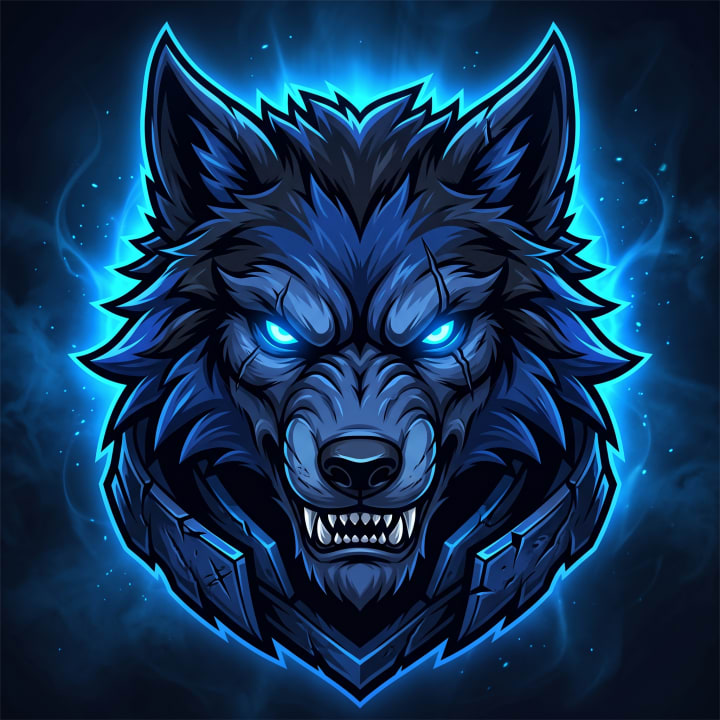
1. Build Your Team Identity Before Designing the Logo
A frequent trap in esports branding is grabbing a random fierce mascot, slapping a clan name underneath, and calling it a team brand. The graphic might look energetic on its own, yet say nothing about your roster. Lasting team identities begin by pinpointing what sets your squad apart.
Define your team name, tone, and competitive posture first. A tactical FPS stack benefits from a sharp, disciplined crest, while an aggressive battle royale clan often suits a predatory mascot. Pick two or three defining traits—such as tactical, relentless, clean, or fearless—and measure every visual choice against those words.
- Team name: pick something short, memorable, and easy for casters or players to spell.
- Squad tone: decide up front whether your brand leans aggressive, tactical, cybernetic, or minimal.
- Emblem direction: match your symbol (wolf, skull, shield, or geometric mark) to the team name.
- Shared palette: lock colors early so player cards, Discord icons, and banners match automatically.
2. Nail the Mascot Silhouette, Shield Geometry, and Typography
Mascots—wolves, lions, eagles, snakes, or hooded fighters—remain staples in competitive gaming because expressive eyes and sharp angles carry instant energy. Even so, an animal character is optional: a structured shield, armored helm, or crisp geometric emblem can anchor a tournament brand just as powerfully.
What separates pro-level crests from cluttered amateurs is silhouette clarity. Your outline should stay unmistakable even if all interior shading disappears or when viewed tiny on a scoreboard. For team lettering, pair bold display typography—such as Russo One, Teko, Bebas Neue, Black Ops One, Orbitron, or Shojumaru—that complements the mascot’s angular weight without turning illegible at small scale.
- Commit to one centerpiece mascot or crest rather than squeezing two symbols together.
- Keep inner facial features clean and avoid tiny floating blades or micro-text.
- Test the silhouette in miniature—if you recognize the shape immediately, the core mark works.
- Choose thick, readable team fonts over overly thin script styles.
3. Lock a Team Palette and Customize Consistently in Studio
Color consistency is the fastest shortcut to looking like an organized esports org. When your captain, fraggers, and support players all share identical team hues across Discord PFP rings, player passes, and scrim banners, the squad immediately looks unified.
Stick to two core colors plus one focused highlight—like crimson and charcoal with white lettering, or cobalt blue and silver with electric cyan accents. Before relying on glow effects, inspect the mark plain: if the mascot and tag look weak without heavy lighting, fix the layout first. Inside TheLogoBase Studio Editor (/editor), you can customize crests directly on HTML5 Canvas with curved or arched clan text, dark contrast strokes, controlled neon outer glow, crest badges, and watermark-free 1080p (1K) or 2048px (2K) PNG exports.
- Never skip the plain-contrast check before turning on outer glow or metallic rims.
- Keep secondary accent hues strictly to highlights like eyes, borders, or clan subtitles.
- Reuse your exact font style and color code across roster graphics and player cards.
4. Prepare Exports for Profiles, Banners, and Roster Cards
An esports crest works overtime across Discord server icons, YouTube channels, stream overlays, and team roster cards. Direct gallery crests on TheLogoBase download at 2048 × 2048 px (2K) 1:1 JPG on dark backdrops for instant social setups, while Studio Editor (/editor) handles custom team text and watermark-free PNG exports—including local Transparent PNG cutouts via Remove BG when dropping your crest onto tournament flyers.
Keep every critical piece—eyes, horns, helmet edges, and clan initials—centered inside the inner 78% circle so circular Discord and YouTube frames never slice off lettering. Preview the emblem at 32 px, 48 px, and 64 px; many competitive teams pair a text-free icon version for small avatars with the full named crest for headers and player cards.
- Verify both full square framing and the circular 78% safe zone before uploading.
- Inspect readability at 32 px – 64 px—consider a mascot-only icon crop for tiny chat badges.
- Keep a 2K master saved locally alongside a matching 3D pass from Gamer Card Maker (/card) for every squad member.
Esports Team Branding Quick Reference
| Setting | Recommended | Why It Matters |
|---|---|---|
| Core Mark | 1 Mascot or Geometric Crest | Clean silhouette recognizable even without glow or heavy gradients. |
| Team Color System | 2 Main + 1 Accent Color | Apply uniformly across avatars, roster banners, and player cards. |
| Master Dimensions | 2048 × 2048 px (2K, 1:1) | Direct 2K JPG on dark backdrop or Studio 1080p / 2048px PNG export. |
| Circular Safe Zone | Inner 78% Circle | Protects helmet tips, mascot eyes, and clan tags inside round icons. |
| Small-Size Target | 32 – 64 px Preview | Confirms bracket thumbnails and Discord server badges stay legible. |