PFPs & Avatars · 6 min read · Updated November 21, 2026
How to Create the Perfect Gaming PFP for Social Media
A gaming profile picture has to stay recognizable when shrunk down to a tiny circle on mobile. Learn how framing, contrast, and safe zones fix blurry avatars across Discord, YouTube, and WhatsApp.
By TheLogoBase Team · [email protected]
1. Choose a Character and Framing That Hold Up Small
Most gaming PFPs fail for one simple reason: they are built for full-screen monitors instead of a 40 px circle inside a Discord chat or YouTube comment thread. When a full-body fighter or wide weapon pose shrinks down, facial features vanish, thin strokes smudge together, and edge details turn into noise.
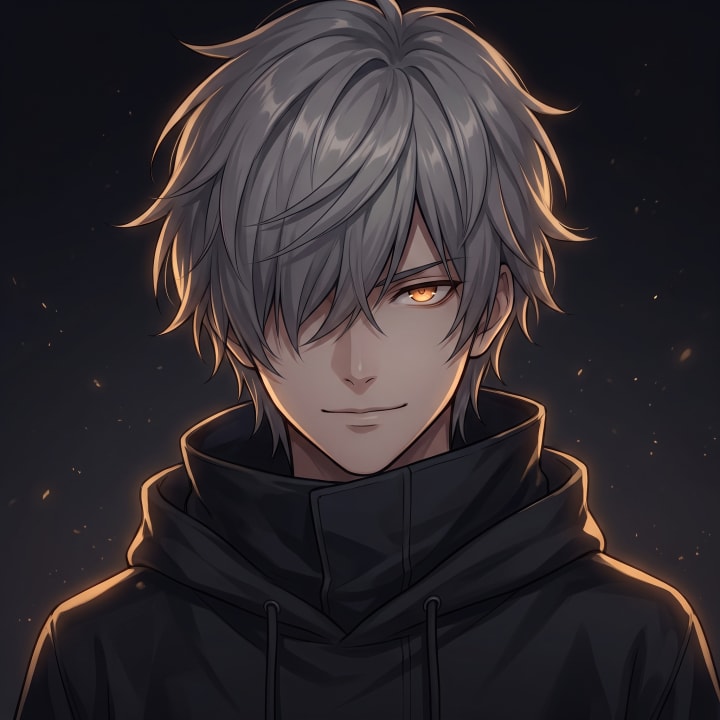
Tight head-and-shoulders framing solves this immediately. Whether you prefer an anime portrait, a dark tactical operative, or an animal mascot, keeping the face large and centered ensures viewers recognize your profile at a glance—even after social apps slice off the four square corners.
- Pick a close-up bust or head-and-shoulders portrait rather than a distant full-body pose.
- Keep eyes, masks, and helmets near the center focal point.
- Leave clean breathing room around the top of the head so circle crops never clip hair or horns.
2. Separate Subject and Background With Contrast & Rim Light
A sharp PFP relies on clear separation between foreground and backdrop. If both your character and background share similar brightness, the silhouette blends into a flat grey shape on dim phone screens.
Deep charcoal or obsidian backgrounds work especially well because they let bright accents—electric cyan, ember orange, violet, or crisp silver highlights—pop forward without distraction. Subtle rim lighting around the hair, hood, or shoulders carves out the outline cleanly, while overly wide neon glow tends to blur the contour at tiny avatar sizes.
- Stick to two primary colors plus one focused highlight hue.
- Avoid placing bright textures, sparks, or busy patterns directly behind eyes or facial details.
- Check that edge lighting stays crisp rather than washed out across the whole background.
3. Customize Text and Check Platform Safe Zones
Text is optional on a profile picture—often a clean portrait speaks louder on its own. If you do add your IGN or a 3-letter clan tag, place it neatly along the lower third in bold lettering like Russo One, Teko, Bebas Neue, Black Ops One, Orbitron, or Shojumaru so it stays legible without covering the face.
Inside TheLogoBase Studio Editor (/editor), you can layer custom typography, add dark strokes or subtle glow, toggle the circular Discord crop preview ring, and confirm key features remain inside the inner 78% safe circle. Direct gallery PFPs download at 2048 × 2048 px (2K) 1:1 JPG on dark backdrops, while Studio exports watermark-free 1080p (1K) or 2048px (2K) PNGs. Need an alpha cutout for stream scenes? Studio includes a local WebAssembly Remove BG tool that isolates high-contrast mascots cleanly on your device (heavy smoke or soft glows may retain subtle edges).
4. Test on Light and Dark Interfaces Before Uploading
Before locking in your avatar, zoom out and inspect it around 32 px, 48 px, and 64 px against both dark mode and light mode backgrounds. A dark edge outline helps keep light characters crisp inside white themes, while bright rim highlights keep dark hooded avatars visible inside midnight Discord and YouTube dark UI.
Keep your full 2048 × 2048 px square master saved locally so whenever you swap channel colors or add a clan badge later, you are working from sharp source pixels rather than re-compressing a small screenshot.
- Verify readability at 32 px, 48 px, and 64 px.
- Confirm eyes, masks, and optional clan tags sit comfortably inside the inner 78% circle.
- Use direct 2K JPG for fast social uploads or Studio 2K PNG when preserving custom text or transparency.
Gaming PFP Quick Reference
| Setting | Recommended | Why It Matters |
|---|---|---|
| Master Resolution | 2048 × 2048 px (1:1) | Direct 2K JPG on dark backdrop; zero watermarks. |
| Framing Style | Head & Shoulders | Keeps facial expression clear after circular cropping. |
| Circular Safe Zone | Inner 78% Circle | Protects hair, helmets, and lower-third clan tags. |
| Small-Size Target | 32 – 64 px | Matches Discord chat lists, comments, and lobby avatars. |
| Studio Export | 1080p or 2048px PNG | Supports custom typography and local Transparent PNG cutouts. |