PFPs & Avatars · 7 min read · Updated November 21, 2026
How to Build a Consistent Gaming Identity Online
Using one username on Discord, a different mascot on YouTube, and an unrelated avatar on TikTok makes players forget you between apps. Learn how to unify your IGN, PFP, colors, and reusable brand kit cleanly.
By TheLogoBase Team · [email protected]
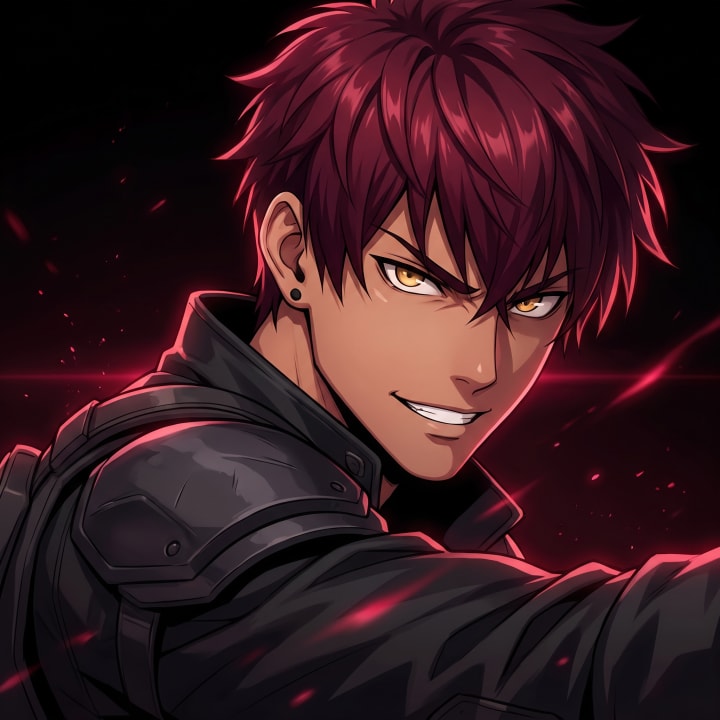
1. Lock One Recognizable Gaming Name Across Platforms
When your Discord profile uses one handle, your YouTube channel displays a different name, and your TikTok uses a random number tag, viewers who find a clip rarely realize it belongs to the same player. A consistent gaming identity bridges those gaps without needing pricey agency branding—just a steady handle and clear visual rules.
Start with your core IGN or creator handle: make it effortless to spell, read in a kill feed, and recall after one comment thread. Before committing across Discord, YouTube, TikTok, and Instagram, check handle availability first. If your exact pick is already taken, use a clean variation (such as ShadowVexGG or @ShadowVex) rather than appending random strings of digits or unrelated alt names.
- Match primary handles across Discord, YouTube, TikTok, and Instagram as closely as platform rules allow.
- Add one brief gaming suffix only if your exact handle is claimed—skip messy numbers or symbols.
- Search your intended name across platforms upfront so you do not clash with an active creator.
2. Build a Cohesive Visual System Around One Anchor
A memorable identity pairs your handle with a unified visual language across every avatar, banner, and thumbnail. Start with one primary mark—either a character portrait, squad mascot, or minimalist emblem—backed by two main colors, one sharp accent hue, and one or two bold display fonts.
Consistent does not mean pasting identical files blindly into every slot, yet your central character and lighting should feel unmistakably linked from Discord chat to YouTube banners. Keep critical facial features and clan initials inside the inner 78% circle for round profile crops, verify clarity down at 32 px – 64 px, and customize arched text, dark strokes, or subtle neon glow cleanly inside TheLogoBase Studio Editor (/editor) when preparing profile variations.
- Palette discipline: lock two core colors plus one accent across avatars, banners, and video thumbnails.
- Typography: stick to one or two reliable fonts (such as Russo One, Teko, or Orbitron) instead of switching styles daily.
- Background mood: keep lighting direction and dark-mode contrast consistent across graphics.
- Safe crop check: protect faces and initials inside the inner 78% circle and test at 32–64 px.
3. Adapt Your Branding to Each Platform Without Repeating Layouts
Each platform puts your graphics to work differently. Your square PFP acts as the universal anchor people recognize instantly in comment replies and voice lobbies, while headers, clips, and post covers adapt naturally to each feed.
Maintain your avatar consistently across Discord (including matching server icons for community admins), YouTube channel icons, TikTok, Instagram, and WhatsApp gaming groups. Meanwhile, structure your YouTube thumbnails and Reels covers with one recognizable template—consistent headline placement, font, and palette—so you swap fresh gameplay shots and titles without breaking channel recognition.
- Discord & WhatsApp: prioritize tight head-and-shoulders framing legible in tiny chat bubbles.
- YouTube: match your channel PFP to your banner palette and lock a repeatable thumbnail layout.
- TikTok & Instagram: weave your signature accent hues into intro frames, captions, and profile cards.
4. Save a Reusable Brand Kit and Keep Profiles Synced
Store your finalized branding inside one dedicated folder so setting up a new tournament profile or editing thumbnails takes seconds instead of hunting down screenshots. Direct gallery downloads on TheLogoBase deliver sharp 2048 × 2048 px (2K) 1:1 JPG files on dark backdrops, while Studio Editor (/editor) saves watermark-free 1080p or 2048px PNGs—including local Transparent PNG cutouts via Remove BG for thumbnail layers.
Pair your visual folder with a live shareable player card from Gamer Card Maker (/card) listing your exact IGN, UID, role, and matching theme hues. Check your active accounts every few months to swap out stale banners or mismatched avatars simultaneously rather than reinventing your style around short-lived trends.
- Keep 2K square masters (JPG/PNG), a circular-cropped PFP export, and a Transparent PNG cutout together.
- Save a plain-text note with your exact HEX codes (e.g., #101014 + your accent hex), font names, and official handle spellings.
- Update active Discord, YouTube, TikTok, and player card links together whenever refreshing a logo.
Cross-Platform Gaming Identity Checklist
| Setting | Recommended | Why It Matters |
|---|---|---|
| Handle Strategy | One Core IGN | Keep spelling identical or closely matched across Discord, YouTube, TikTok, and IG. |
| Color & Font Rules | 2 Main + 1 Accent / 1–2 Fonts | Save exact HEX codes and typefaces in your personal brand folder. |
| Avatar Framing | 2048 × 2048 px (Inner 78%) | Square 1:1 masters with key face details clear of circular edges. |
| Small-Size Target | 32 – 64 px Preview | Verifies instant recognition inside comment feeds and chat lists. |
| Kit File Types | 2K JPG + Transparent PNG | Dark-backdrop JPGs for DPs plus alpha PNG cutouts from /editor for thumbnails. |