Clan Logos · 7 min read · Updated November 21, 2026
Gaming Logo Design Ideas: Mascots, Crests and Emblems
Mascots, shield crests, and minimal emblems each build a very different gaming identity. Compare how all three styles behave at avatar size, when to pick each format, and how to customize yours cleanly.
By TheLogoBase Team · [email protected]
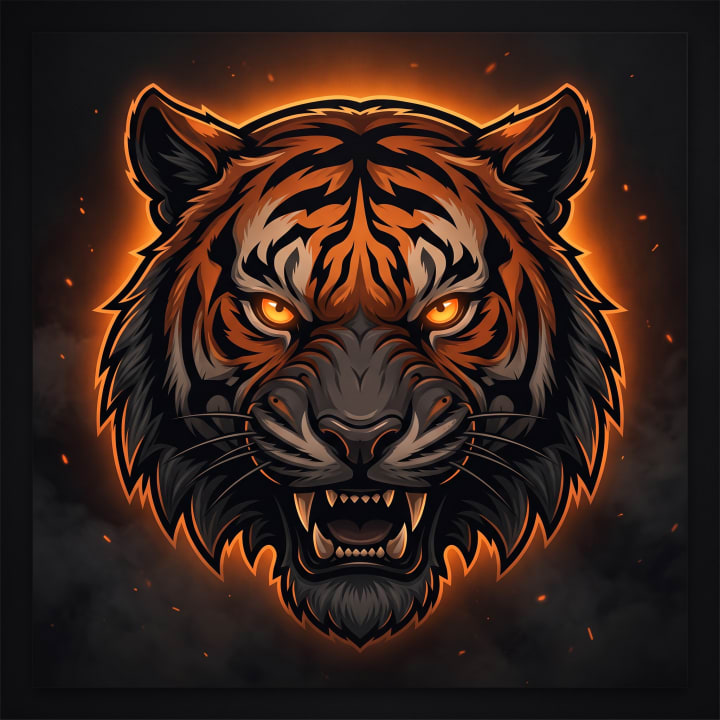
1. Mascot Logos: Character-Led Identity With Clear Silhouettes
A character mascot logo often fails for one simple reason: too many tiny props—floating guns, overlapping shards, and intricate armor lines—choke the face until the whole badge smears at small profile sizes. When your avatar looks strong full-screen yet turns indistinct on Discord, excessive visual noise is almost always the culprit.
Mascot marks center on one expressive character—such as a roaring tiger, cyber wolf, armored samurai, or hooded reaper—using bold linework and strong lighting to project attitude right away. Keep attention tightly on the eyes, jaw, or helmet outline, and resist covering facial features with oversized team lettering.
- Pick one character mood that matches your roster (predatory beast, cybernetic operative, or mythic warrior).
- Frame a tight head-and-shoulders crop rather than distant full-body artwork.
- Keep decorative sparks and secondary weapons off the main facial outline.
- Rely on clean rim highlights and solid contrast so the character pops off dark backdrops.
2. Crest Logos: Structured Shield and Badge Architecture
Crest logos organize a mascot, clan name, and accent icons inside an enclosed frame—typically an angular esports shield, tactical diamond, or rounded team badge. That outer boundary pulls separate details together so full squad graphics look cohesive on tournament brackets and team rosters.
Still, slapping a border around crowded artwork does not automatically look pro. Narrow shields squeeze characters awkwardly, while massive bottom banners swallow the mascot’s chest and chin. Balance the inner spacing deliberately so the shield reinforces the centerpiece instead of boxing it in.
- Top header zone: reserve room for a crown accent, crest icon, or short two-letter tag.
- Centerpiece zone: seat the focal mascot or helm comfortably without touching inner borders.
- Lower banner zone: place your 3-to-6-letter clan name in crisp, wide-tracked capitals.
- Outer border: keep the frame stroke uniform so circular platform masks do not look lopsided.
3. Emblem Logos: Clean Monograms, Symbols & Hybrids
Not every gaming brand needs a detailed beast illustration. Minimal emblems rely on custom geometric marks, sharp monograms, tactical wings, or letterforms built from team initials. This direction suits multi-game orgs, minimalist streamers, and competitive squads chasing a sleek, unmistakable silhouette.
To customize any direction fast, TheLogoBase Studio Editor (/editor) runs directly on browser HTML5 Canvas with bold gaming fonts, curved or arched clan text, dark contrast strokes, controlled neon outer glow, and vector crest badges—exporting watermark-free 1080p (1K) or 2048px (2K) PNGs alongside local Remove BG transparent cutouts.
- Lettermarks: fuse one or two crisp team initials into an angular, balanced icon.
- Geometric emblems: rely on deliberate angles and negative space rather than random shapes.
- Hybrid marks: blend a minimal visor, crown, or fang silhouette with a sharp shield outline.
4. Choose Your Format & Verify Multi-Platform Sizing
Pick your format around where your identity lives most: mascots excel on creator channels and fierce battle royale squads, shield crests anchor organized clan rosters and bracket graphics, and minimal emblems scale effortlessly onto tiny match scoreboards and overlays. Combining a tight mascot with a clean shield frame bridges both worlds without clutter.
Direct square gallery downloads on TheLogoBase come at 2048 × 2048 px (2K) 1:1 JPG on finished dark backdrops, while Studio Editor (/editor) exports custom typography and Transparent PNGs cleanly. Before locking in your file, keep faces and lettering inside the inner 78% circle for Discord, YouTube, and WhatsApp DPs, and preview legibility down at 32 px, 48 px, and 64 px.
- Confirm eyes, helmets, and clan initials sit cleanly inside the inner 78% circle.
- Inspect readability at 32–64 px to make sure fine borders do not vanish on mobile.
- Export a Transparent PNG from /editor when placing crests over stream scenes or thumbnails.
Gaming Logo Styles Quick Comparison
| Setting | Recommended | Why It Matters |
|---|---|---|
| Mascot Style | Character-Focused | High energy and personality; prioritize eyes, rim light, and head-and-shoulders framing. |
| Crest Style | Shield or Team Badge | Frames mascot, clan name, and crown/symbol accents in one organized unit. |
| Emblem Style | Symbol or Lettermark | Clean geometric silhouette built for effortless recognition at tiny scoreboard sizes. |
| Master Resolution | 2048 × 2048 px (2K, 1:1) | Direct dark-backdrop 2K JPG or watermark-free 1080p / 2048px PNG from /editor. |
| Safe Zone & Preview | Inner 78% / 32–64 px | Protects round profile crops and small-screen clarity. |