PFPs & Avatars · 4 min read · Updated November 16, 2026
Discord, WhatsApp & YouTube Circle-Crop PFP Guide (Zero Cutoff)
Keep anime eyes, glowing masks, and gamertags cleanly inside circular frames on Discord, WhatsApp DP, Instagram, and YouTube.
By TheLogoBase Team · [email protected]
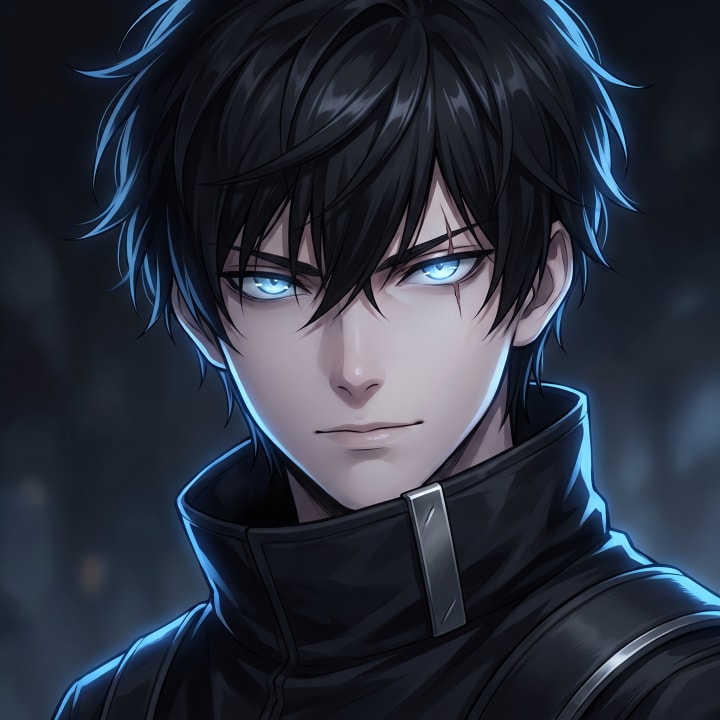
How Circular Masks Actually Crop a Square Image
Every avatar file you upload is a square (1:1), yet Discord, WhatsApp, Instagram, TikTok, and YouTube slice off all four corners with a circular mask. Any detail sitting near the top edge or bottom corners gets cut in half the moment you hit Save.
Toggle the live Circle Crop preview on the sample portraits in this guide to see the exact circular boundary. Good profile pictures keep faces, hoods, and eyes safely inside the center 75% circle.
- Leave breathing room above the character hair, horns, or hood so the top arc does not slice the head.
- If you add a name in /editor, drag it slightly upward toward the lower chest area instead of pinning it to the bottom edge.
Picking the Right Contrast for Dark vs Light App Themes
Discord runs dark by default (#1e1f22 sidebar). Dark Anime or Noir avatars with neon eyes, cyan hair streaks, or crimson rim light look sharp in member lists, while pure pitch-black silhouettes with dim details blend into the sidebar.
On WhatsApp and Instagram, where many viewers use light mode or story rings, bright Aesthetic vaporwave tones and crisp Minimal monochrome illustrations stand out cleanly even inside tiny chat reply bubbles.
Stop WhatsApp From Turning Dark Shadows Blocky
Messaging apps heavily re-compress low-resolution screenshots, leaving ugly square blocks across dark gradients. Always download the full 2048×2048 (2K Square) JPG master file directly using the Download button on any of our PFP cards instead of taking a cropped phone screenshot.
Circular Avatar Safe-Zone Specs by Platform
| Setting | Recommended | Why It Matters |
|---|---|---|
| TheLogoBase PFP Master | 2048 × 2048 px (2K JPG) | All profile pictures download at crisp 1:1 square 2K resolution. |
| Discord Avatar | 512 x 512 px+ (1:1) | Inner 80% circle stays visible across chat, voice tiles, and server lists. |
| WhatsApp DP | 640 x 640 px+ (1:1) | Download full 2K master instead of screenshots to minimize shadow banding. |
| Instagram Avatar | 320 x 320 px+ (1:1) | Account for story ring border eating roughly 8% around the outer edge. |
| YouTube Channel Icon | 800 x 800 px (1:1) | Scales from tiny 36 px comment circles up to large TV channel headers. |